Storing an evaluation dataset in PhariaStudio
Prerequisites
Follow the instructions in Creating examples for an evaluation dataset to create a list of examples before creating and storing an evaluation dataset.
Add required dependencies
from pharia_studio_sdk.connectors import StudioClient
from pharia_studio_sdk.evaluation import (
    Example,
    StudioDatasetRepository
)
Submit the dataset using code
We initialise the PhariaStudio client linking to an existing project:
studio_client = StudioClient("Test Evaluation")When the client is initialised and pointing to a project, you can submit the dataset:
studio_dataset_repo = StudioDatasetRepository(studio_client=studio_client)

studio_dataset = studio_dataset_repo.create_dataset(
    examples=examples,
    dataset_name="Jokes",
    metadata={"description": "This is an extensive list of jokes"},
)
View the dataset in PhariaStudio
After you submit the dataset, you can view it in the Dataset section of PhariaStudio:
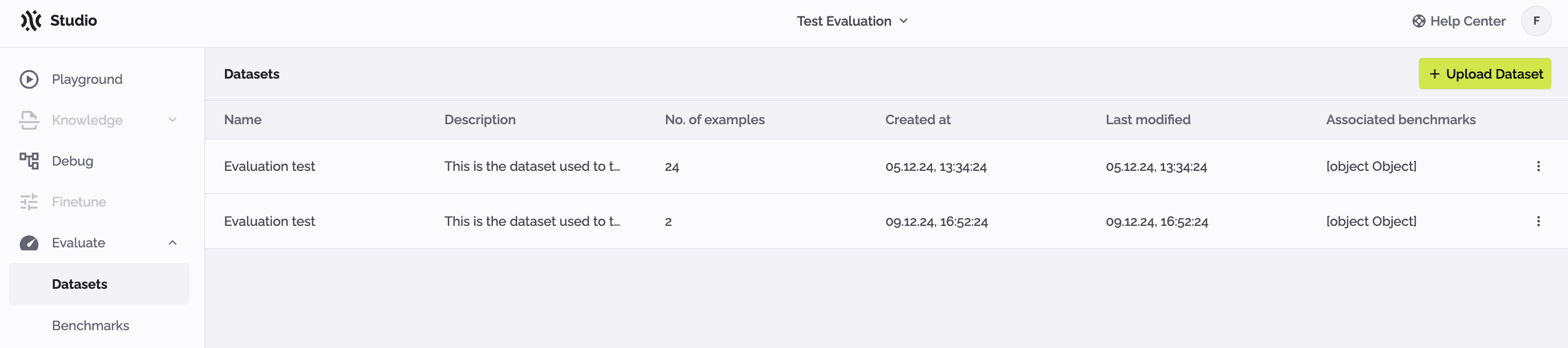
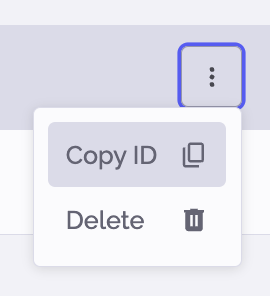
The dataset ID is needed to create a benchmark object. To copy the ID, click on the kebab menu icon and select Copy ID:
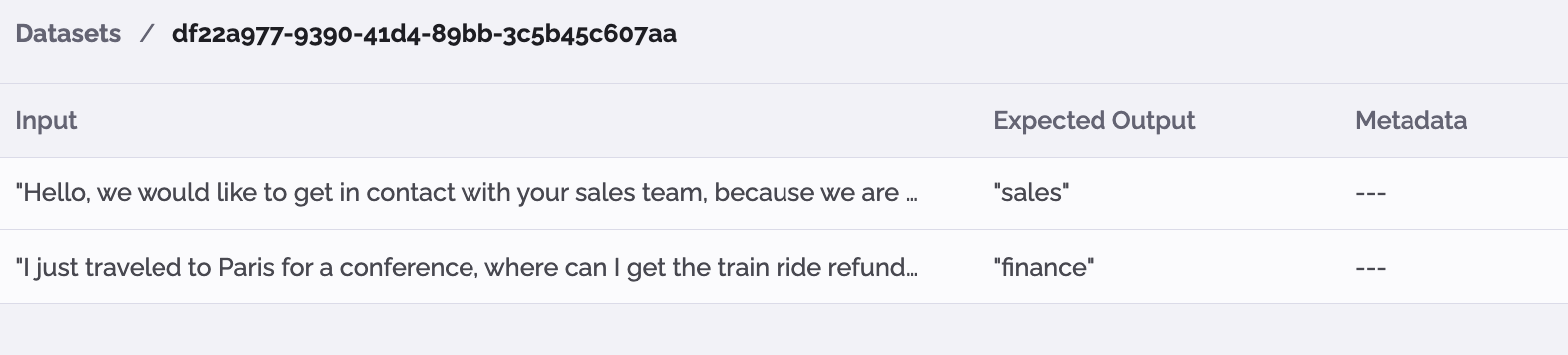
Click on a line in the Datasets table to display the content of that dataset:
Upload the dataset using the PhariaStudio portal
| The dataset file must be in the JSON lines format and each example must contain a unique ID. |
You can upload a new dataset in the PhariaStudio portal, as follows:
-
In the Evaluate menu in the sidebar, select Datasets.
If the current project does not have any datasets, PhariaStudio displays a code snippet to enable the creation of a dataset using code. -
Click Upload Dataset.
-
Upload a dataset file, or drag and drop one into the popup.