Creating and submitting evaluations
Prerequisites
In Implementing a simple task, we created the input and output data types. In Creating examples for an evaluation dataset, we have a list of examples with their expected output. The dataset is stored in PhariaStudio and its ID is accessible in the portal (see Storing an evaluation dataset in PhariaStudio).
Add required dependencies
from collections.abc import Iterable

import numpy as np
from dotenv import load_dotenv
from pydantic import BaseModel

from pharia_inference_sdk.core import (
    CompleteInput,
    Llama3InstructModel,
    NoOpTracer
)

from pharia_studio_sdk.evaluation import (
    AggregationLogic,
    Example,
    SingleOutputEvaluationLogic,
)

from pharia_studio_sdk.evaluation.benchmark.studio_benchmark import StudioBenchmarkRepository

load_dotenv()
Write the evaluation logic
We first ensure that the evaluation output contains the domain-specific evaluation result; therefore, we create its data type. (Note that in our simplified example, we expect that the expected output has the same data type of the task output.)
class TellAJokeEvaluation(BaseModel):
    is_it_funnier: bool
We expect the task to return a single output so we can use SingleOutputEvaluationLogic as follows:
class TellAJokeEvaluationLogic(
    SingleOutputEvaluationLogic[
        TellAJokeTaskInput, TellAJokeTaskOutput, TellAJokeTaskOutput, TellAJokeEvaluation
    ]  # We pass TellAJokeTaskOutput also as ExpectedOutput
):
    def do_evaluate_single_output(
        self, example: Example[TellAJokeTaskInput, TellAJokeTaskOutput], output: TellAJokeTaskOutput
    ) -> TellAJokeEvaluation:
        model = Llama3InstructModel("llama-3.1-8b-instruct")
        prompt_template = """Which is the funniest joke? Respond only with 1 or 2.

1)
{joke1}

2)
{joke2}
"""

        prompt_template.format(joke1=output.joke, joke2=example.expected_output.joke)

        prompt = model.to_instruct_prompt(
            prompt_template.format(joke1=output.joke, joke2=example.expected_output.joke))
        completion_input = CompleteInput(prompt=prompt)
        completion = model.complete(completion_input, NoOpTracer())
        is_it_funnier = "1" in completion.completions[0].completion

        return TellAJokeEvaluation(is_it_funnier=is_it_funnier)
Now that we have the domain-specific evaluation logic, we define how the results are aggregated to provide a unique result so that we understand the quality of the whole experiment:
class TellAJokeAggregation(BaseModel):
    ratio: float

class TellAJokeAggregationLogic(AggregationLogic[TellAJokeEvaluation, TellAJokeAggregation]):
    def aggregate(self, evaluations: Iterable[TellAJokeEvaluation]) -> TellAJokeAggregation:

        funny_arr = np.array(
            [evaluation.is_it_funnier for evaluation in evaluations]
        )

        ratio = np.count_nonzero(funny_arr) / funny_arr.size
        return TellAJokeAggregation(
            ratio=ratio
        )
Define the benchmark
Now we can create a benchmark. In this step, we are exploring the Evaluation > Benchmarks section of PhariaStudio.
If the project contains no benchmarks, the portal displays the code snippet to add a benchmark using code. The three required components for the benchmark are a dataset, evaluation logic, and aggregation logic:
studio_benchmark_repository = StudioBenchmarkRepository(studio_client)

evaluation_logic = TellAJokeEvaluationLogic()
aggregation_logic = TellAJokeAggregationLogic()

benchmark = studio_benchmark_repository.create_benchmark(
    "<your-dataset-id>", evaluation_logic, aggregation_logic, "task eval short dataset",
)
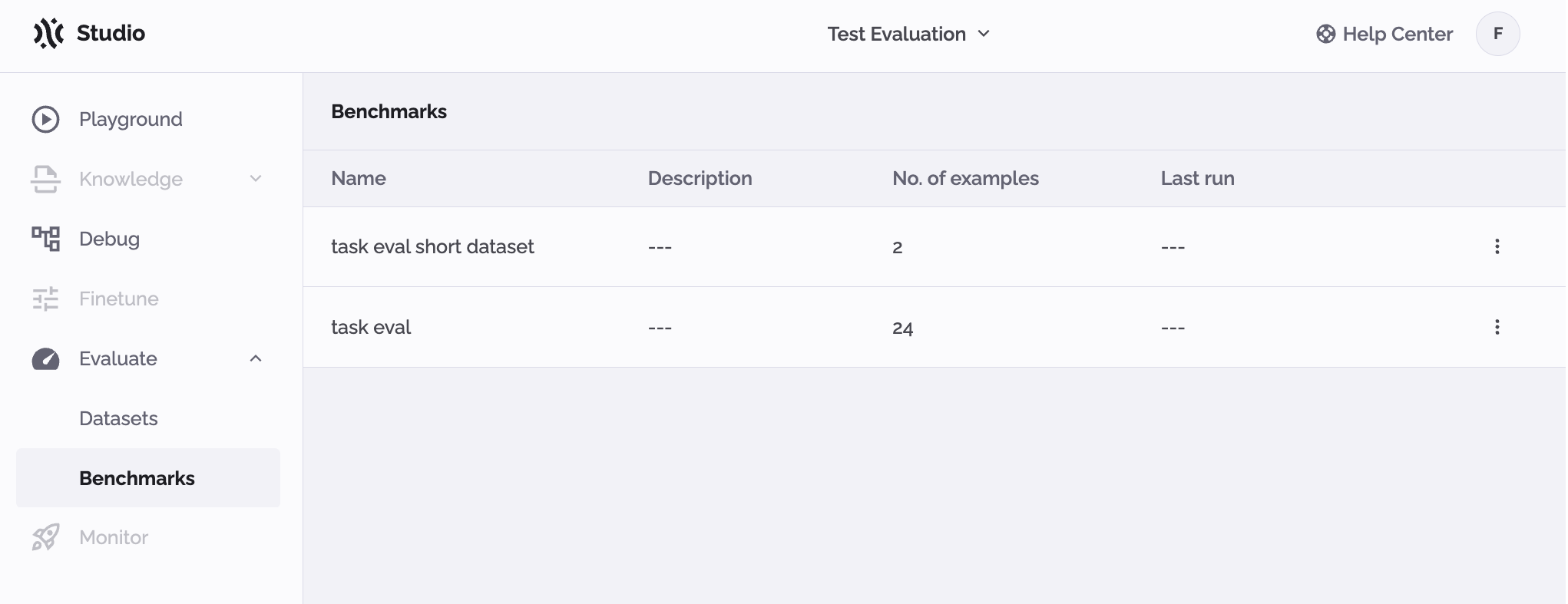
After executing the above, you can see the outcome in PhariaStudio. At least one benchmark has been defined:
Why submit evaluation and aggregation logic?
We want to ensure that all results are consistent to avoid invalidating the results of an entire benchmark because the logic varied from one execution to the next. To achieve this, we hash the two logics and compare them with what is currently being executed. This is very restrictive: Even the addition of a space or a new line generates a different hash for the function.
How to execute a benchmark
We have defined our task logic and our benchmark, and we combine the two as follows:
model = Pharia1ChatModel("pharia-1-llm-7b-control")

task = TellAJokeTask(model)
benchmark.execute(
    task=task,
    name="First attempt",
    description="First implementation of the task logic",
    labels=["v1"],
    metadata={"some": "metadata"}
)
After running the code, the SDK executes your tasks and submits the evaluation and all the related traces.
In PhariaStudio, you can see that the benchmark has included a Last Run value. If you click it, you can view the details of this run.
Check the traces for each example
You may now find yourself asking why your task did not perform as expected. Was it the AI logic? We may be able to discover the answer.
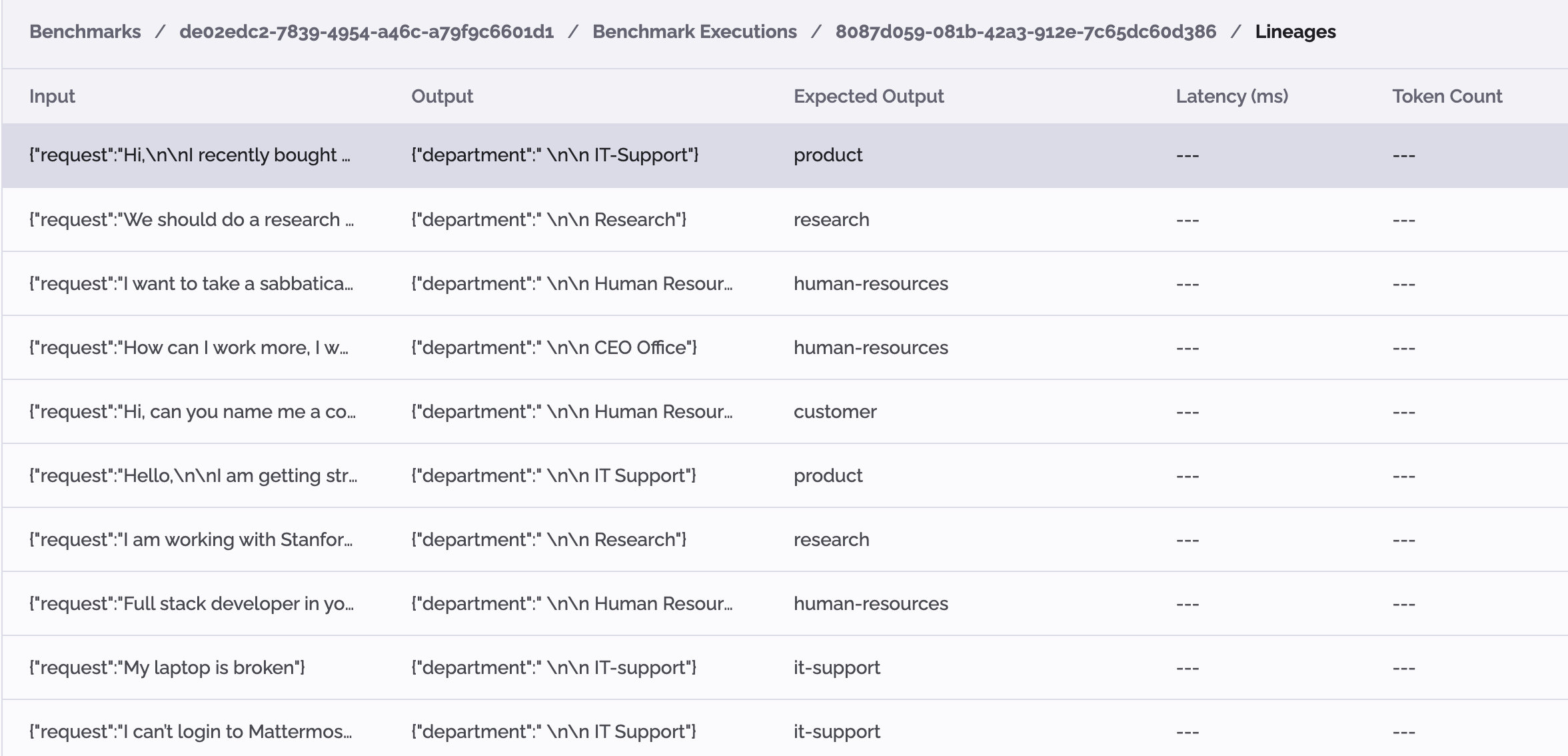
By clicking on the run, you access a detailed view. Here, each line represents the execution on one example:
By clicking on each example, you can view the lineage, which is linked to the execution trace:
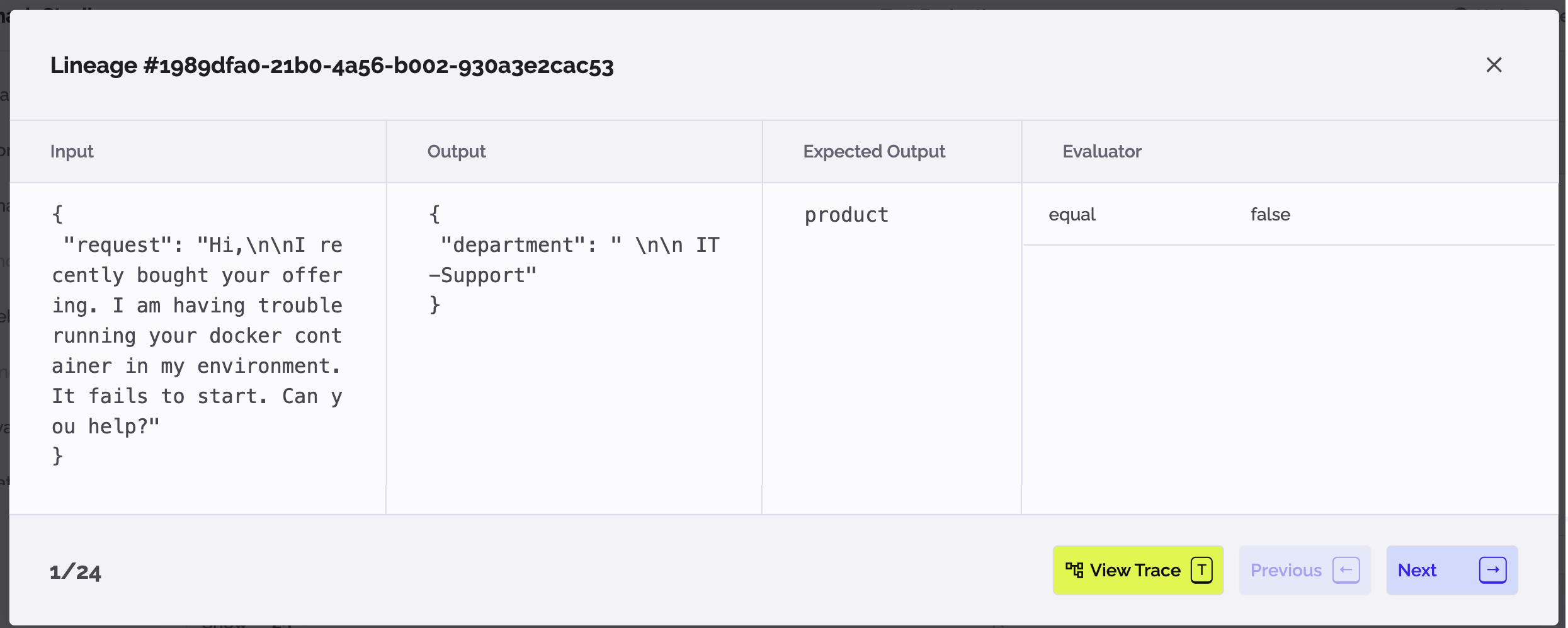
This closes the loop with the rest of the features in PhariaStudio. It enables you to check the trace content and try it in the Playground for faster debugging of your AI logic.