Creating collections of files
This guide describes how to set up the foundational components needed for document collections in PhariaSearch. We describe how to create namespaces and collections and how to configure indexes.
Prerequisites
-
PhariaSearch is deployed:
https://document-index.{ingressDomain} -
You have access to PhariaStudio:
https://pharia-studio.{ingressDomain} -
You have some familiarity with REST APIs
Get an authorisation token
To use the Aleph Alpha APIs, you need a valid authorisation token. You get this in PhariaStudio, as follows:
-
Open PhariaStudio, and log in if necessary.
-
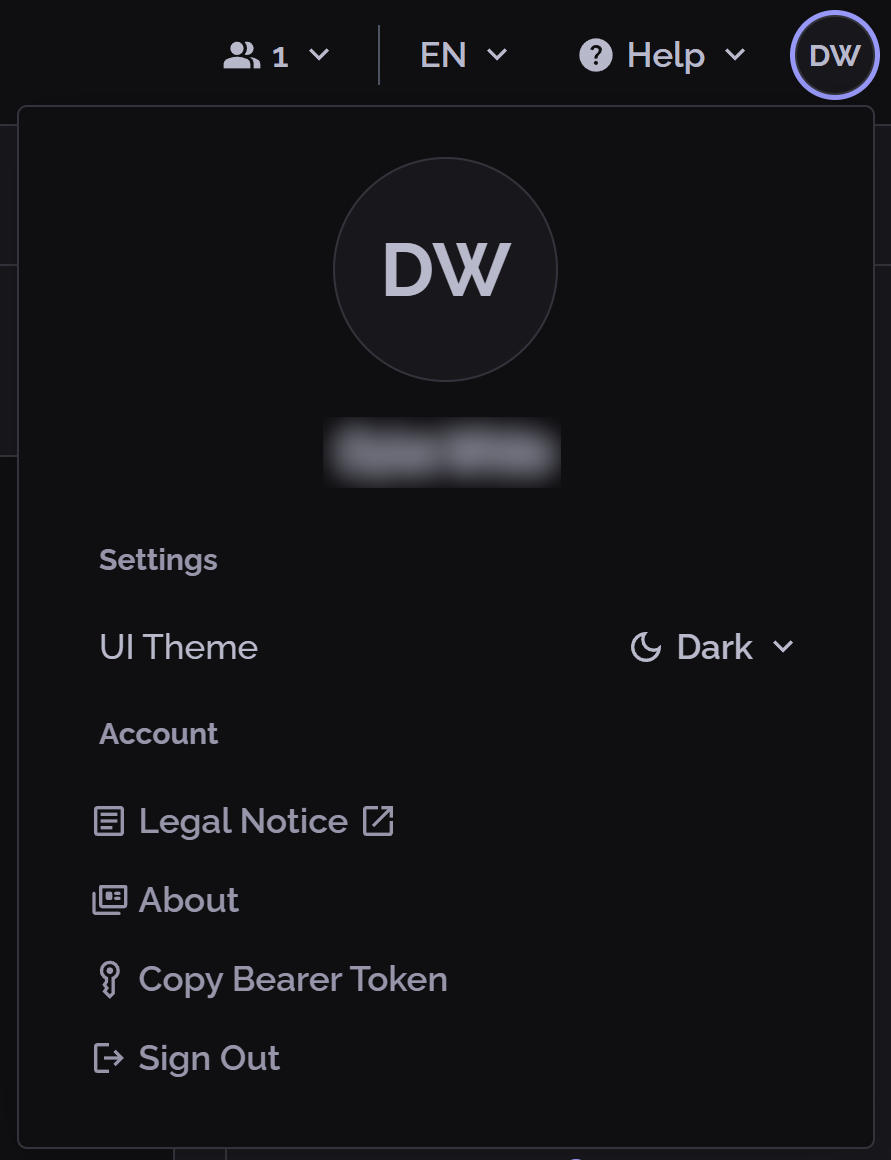
In the upper-right corner, click your profile icon.
-
In the popup, click Copy Bearer Token:
Set up your document collections environment
The PhariaSearch API provides an interface for creating and managing document collections. You can access the full API documentation at https://document-index.{ingressDomain}/openapi.yaml.
The following steps describe how to create namespaces, collections, and indexes.
1. Create a namespace
A namespace acts as a workspace for grouping collections and managing access. Namespaces are defined in the PhariaStudio Helm chart, along with the user roles that can access them. After a namespace is registered with the PhariaSearch API, it controls access to all collections it contains.
To create a namespace:
curl -X PUT \
  'https://document-index.{ingressDomain}/namespaces/{namespace}' \
  -H 'Authorization: Bearer {your-token}'
2. Create a collection
Collections store documents within a namespace. Each collection belongs to a single namespace and must be explicitly created before you can add documents to it:
curl -X PUT \
  'https://document-index.{ingressDomain}/collections/{namespace}/{collection}' \
  -H 'Authorization: Bearer {your-token}'
3. Configure an index
Indexes define how documents are indexed and ultimately searched. They configure settings like chunk size, chunk overlap, and embedding type, such as symmetrical or asymmetrical. Indexes are defined within a namespace and then assigned to collections (see the next step).
To create an index:
curl -X PUT \
  'https://document-index.{ingressDomain}/indexes/{namespace}/{index}' \
  -H 'Authorization: Bearer {your-token}' \
  -H 'Content-Type: application/json' \
  -d '{
    "chunk_size": 384,
    "chunk_overlap": 0,
    "embedding_type": "asymmetric"
  }'
For hybrid search capabilities, include "hybrid_index": "bm25" in the configuration.
For more guidance on selecting the optimal index settings for your application, see Recommended index configuration.
Validation
Verify your set-up as follows:
curl -X GET \
  'https://document-index.{ingressDomain}/namespaces/{namespace}/collections' \
  -H 'Authorization: Bearer {your-token}'
Additional configuration for PhariaAssistant
For setting up collections for PhariaAssistant Chat, see Configuring which collections are visible to PhariaAssistant.