Hardware monitoring
In PhariaOS, you can monitor the hardware running in your Kubernetes cluster.
In this article:
Viewing installed models
To view your hardware, click Hardware in the PhariaOS sidebar.
Nodes are listed with their status and details as configured during the Kubernetes setup:
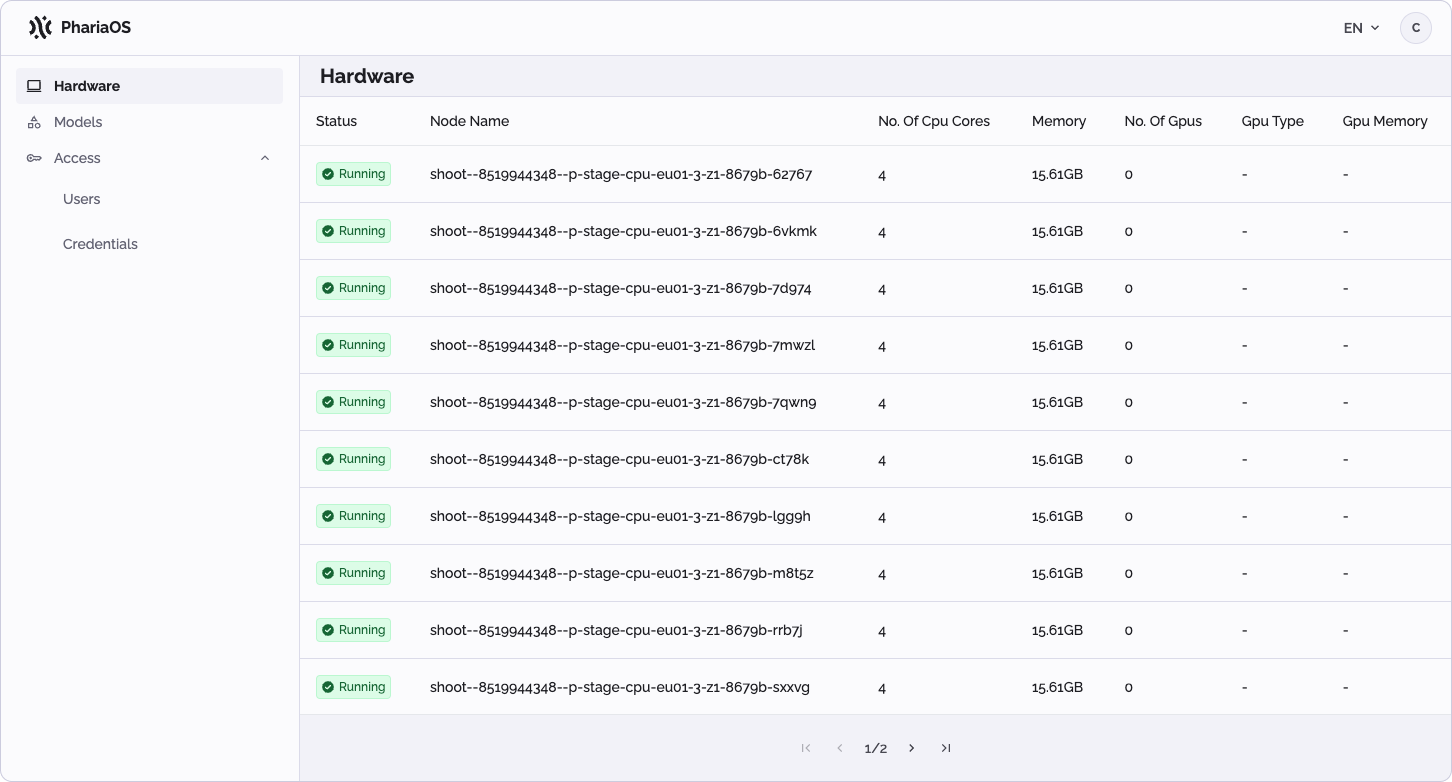
Node statuses
A node’s status is shown as “Running” when it is healthy and ready to accept pods. For more information, see the Kubernetes documentation for the node condition "Ready".
If a node’s status is shown as “Failed”, it is not accepting pods and may need your attention. See Troubleshooting Clusters in the Kubernetes documentation.