Use cases
Roles: project manager, annotator
If you do not have a use case yet, you see the Create your first use case screen when you start PhariaCatch. Click Get started and follow the instructions to create a new use case.
If your use case contains projects, you see the Your projects page that shows all the projects in the selected use case. See Viewing your use cases.
Viewing your use cases
Role: project manager
The Use Cases page displays an overview of all the use cases you are assigned to. The page shows basic information for each use case:

Each use case tile indicates the following:
- the use case name and description
- the number of projects contained in the use case
- the number of datasets resulting from the use case's projects
- the use case progress expressed as the number of tasks completed over all tasks defined
To see the projects belonging to a use case, click its tile. Project managers do this to manage their projects, whereas annotators do this to access their tasks.
Project managers can create new use cases, as well as edit and delete existing ones.
Creating a use case
Role: project manager
To create a new use case:
- Click Create new use case at the top right of the page.
The Add new use case window appears:
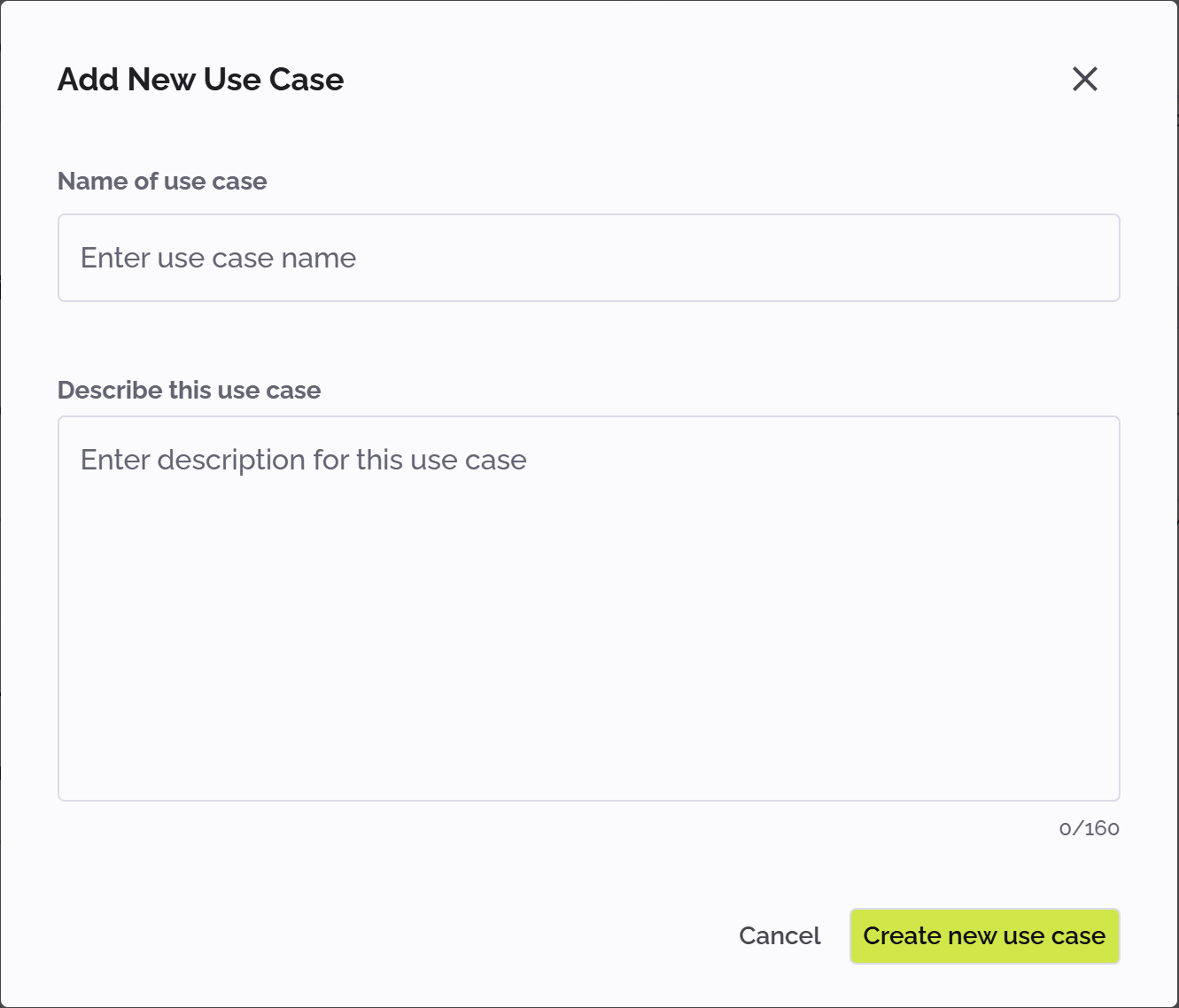
- Enter a name for the use case.
- Optionally, enter a description for the use case.
- Click Create new use case to save the new use case.
The new use case appears as a new tile on the Use Cases page, showing the title and description.
Editing a use case
Role: project manager
To edit the name and description of an existing use case:
- Click the kebab menu icon in the use case tile:

- Select Edit from the menu.
The Edit use case window appears. - Edit the use case name and/or description as required.
- Click Save changes.
The use case tile on the Use Cases page now shows the edited title and description.
Deleting a use case
Role: project manager
To delete a use case:
- Click the kebab menu icon in the use case tile:
- Select Delete from the menu.
The use case is deleted and its tile is removed from the Use Cases page.