PhariaAI v1.250800.0 – Release Notes
| Release Version | v1.250800.0 |
| Release Date | August 7, 2025 |
| Availability | On-premise and hosted |
Cross-Product Features
With this release, developers can deploy PhariaAI applications built in PhariaStudio and manage access for PhariaAssistant users, all from the same project workspace. This closes the loop between development and secure production use as developers can confidently roll out applications while ensuring only authorized end users see them in PhariaAssistant.
User-Level Access Management for PhariaAI Applications: Secure Deployment from PhariaStudio to End Users
| Availability | On-premise and hosted |
Existing applications will be migrated to individual projects as "private" applications. This will cause existing applications to not appear in Assistant for non-Admin users, when upgrading to this version of PhariaAI.
To restore global access, request an Admin user to update the usecase definition using the PhariaOS API to set the isPublic flag. The usecase must retain the "projectID" association to maintain granular access control in the PhariaStudio UI.
With this release, developers can now deploy PhariaAI applications built in PhariaStudio directly from within the studio, and define which PhariaAssistant users should have access to them - all in the same project workspace.This closes the loop between development and secure production use as developers can confidently roll out applications while ensuring only authorized end users see them in PhariaAssistant.
Key Benefits:
-
Seamless Dev-to-Prod Deployment: Deploy applications built with the PhariaAI framework directly from PhariaStudio;
-
Granular Access Management: Assign and manage access at the individual user level - say no to uncontrolled exposure of applications;
-
Improved Data Governance and Compliance Readiness: Meet data access policies by ensuring applications and their underlying services/assets are only accessible to approved users.
The PhariaStudio UI can be used to view all deployed applications in the project, adjust access permissions, or roll back the changes as needed. Access control settings are enforced across both the PhariaAssistant UI and the PhariaOS service layer, ensuring full alignment across the PhatiaAI stack.
Group-level, role-based, and component-level access control (e.g. data level or model level of an application) are not supported in this release.
External Inference API Connectors: Extend PhariaAI with External OpenAI-Compatible APIs
| Availability | On-premise and hosted |
We’re introducing External Inference API Connectors - a new capability that allows PhariaAI administrations to set up the Inference API in such a way that for selected models user requests are routed from the Inference API scheduler to external OpenAI-compatible APIs. This lets organizations supplement their on-prem model capacity by integrating external inference backends. All requests continue to go through the Aleph Alpha Inference API, preserving IAM, queueing, endpoint standards, and other platform-level benefits - with no changes required on the client side.
Key Benefits:
-
Bridge GPU Gaps: Forward inference requests to external OpenAI-compatible APIs when on-prem compute is insufficient;
-
Seamless Integration: Users interact with external models just like any other model on the Pharia platform - no changes to client code;
-
Full Feature Continuity: Retain IAM, queueing, and endpoint standardization features of the Aleph Alpha Inference API.
For further information, please refer to the available documentation
Currently requires OpenAI-compatible external APIs; integration with non-standard APIs is not supported.
PhariaAssistant
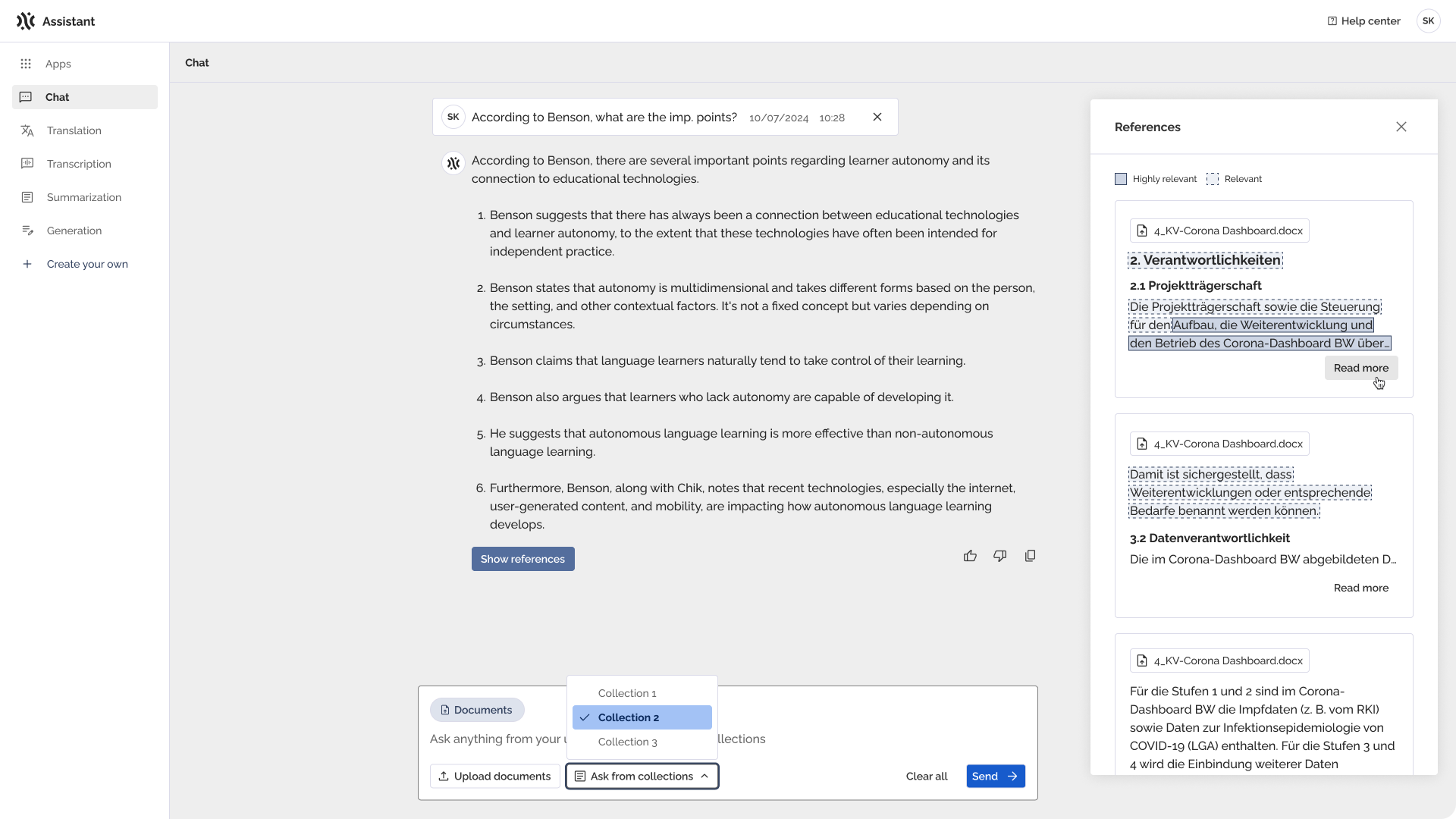
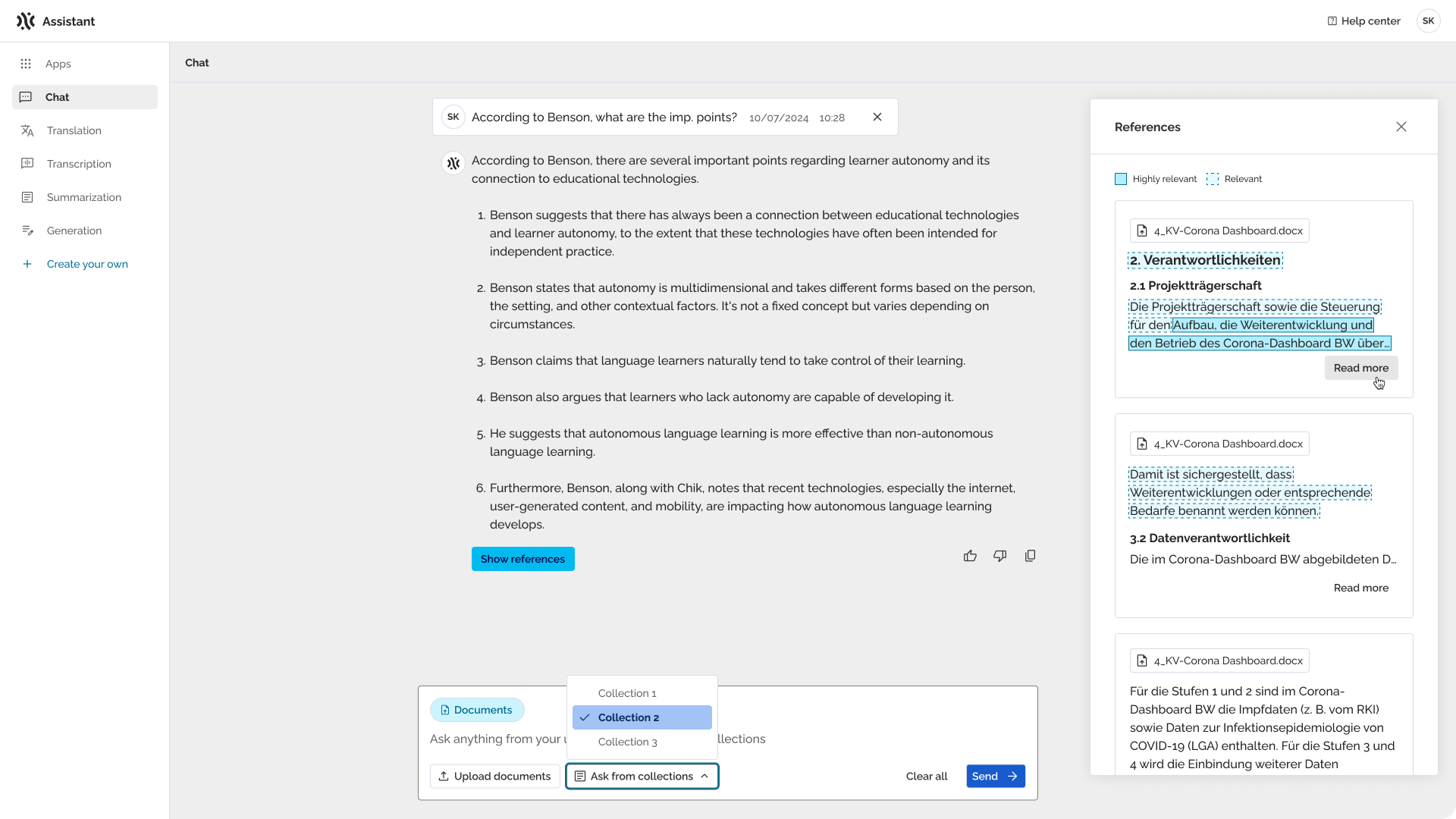
In this release, we are introducing backend support for comprehensive UI customization of PhariaAssistant. This way the Assistant’s interface can be personalised to match company branding.
We are continuing the development of new features for our agentic chat, that is currently available only in beta mode. Due to upcoming changes, some features in the beta mode may become unstable. We recommend for production use that system administrators keep the toggle "Try beta features" in the helm chart disabled by setting NLS false (this is already the default). Should you wish to learn more about the beta chat, please reach out to your delivery manager.
Global UI Customization (Backend): Personalize PhariaAssistant to match your brand
| Availability | On-premise and hosted |
We’re introducing Global UI Customization - a new feature that lets admins tailor the PhariaAssistant interface to reflect their organization’s visual identity. With a dedicated API, companies can set logos, assistant name, theme colors, fonts, helpful links, and more.
With the introduction of this feature, Helm chart-based UI customization will be deprecated soon. All future UI configuration should be handled via the API. Please plan your development accordingly.
Key Benefits:
-
Aligns with brand guidelines: Makes the PhariaAssistant match company branding, boosting trust and adoption;
-
Feels like part of daily tools: Increases user comfort by blending visually into existing branding;
-
Flexible, no extra dev work: Lets admins adjust logos, colors, and fonts easily.
Currently, there’s no dark mode, no UI configuration panel, no multi-brand support, and styling applies only to the UI shell — not assistant output. Font choices are limited.
PhariaOS
In this release, we’re improving the Dynamic Model Management feature by unlocking the support of the fully fine-tuned models. This helps users bring custom models into production faster and with less operational overhead.
Dynamic Model Management v2: Deploy Fully Fine-Tuned Models
| Availability | On-premise and hosted |
We’re expanding Dynamic Model Management (introduced in the 1.250600.0 release) with the ability to deploy fully fine-tuned models directly from PhariaStudio, using the PhariaOS Manager API - no infrastructure changes or DevOps support required.
Full fine-tuning involves updating all of a model’s weights, resulting in a checkpoint that is the same size as the original model. The alternative that is not supported with this addition is Parameter-Efficient Fine-Tuning (PEFT) methods (LoRA, BitFit, etc.)
This unlocks a fully integrated fine-tune to deploy workflow within the Pharia ecosystem, streamlining model iteration and production deployment.
Key Benefits:
-
Deploy fine-tuned models easily: Expand your LLM choices without extra DevOps work or infrastructure setup;
-
Integrated workflow: Fine-tune, and deploy seamlessly with PhariaStudio and PhariaOS backend via the SDK.
This feature is currently available only via the PhariaOS Manager API. There is no UI support yet (e.g., deployed fine-tuned models do not appear in the PhariaOS Model tab).
Other updates
-
Minor bug fixes & improvements
-
Minor security enhancements
-
Minor performance and stability fixes
Accessibility enhancements for PhariaAssistant
PhariaAssistant Portal:
-
Improved keyboard navigation and overall accessibility compliance:
-
ESC key handling;
-
Proper labeling;
-
Corrected tab order.
-
-
Enhanced internationalization support with consistent translation fixes across multiple components;
-
UI and UX refinements:
-
Optimized heading structure for screen readers;
-
Improved responsive sidebar behavior;
-
Enhanced high contrast mode support.
-
-
Implemented focus trapping for modal dialogs to prevent interaction with background elements.
Frontend Library:
-
Extended accessibility improvements:
-
Unified keyboard interaction patterns;
-
Resolved ARC Toolkit-reported accessibility violations in dropdowns, file upload, and sidebar components.
-
-
Improved responsive behavior and ensured ARC Toolkit compliance across core components.